
EIGHTTRACK AUDIO / JOURNAL
Meet Awake: Keep Your PC Ready While You Create
A completely free Windows utility for long recording sessions, renders, downloads, and presentations. Learn who Awake is for and how to get it.
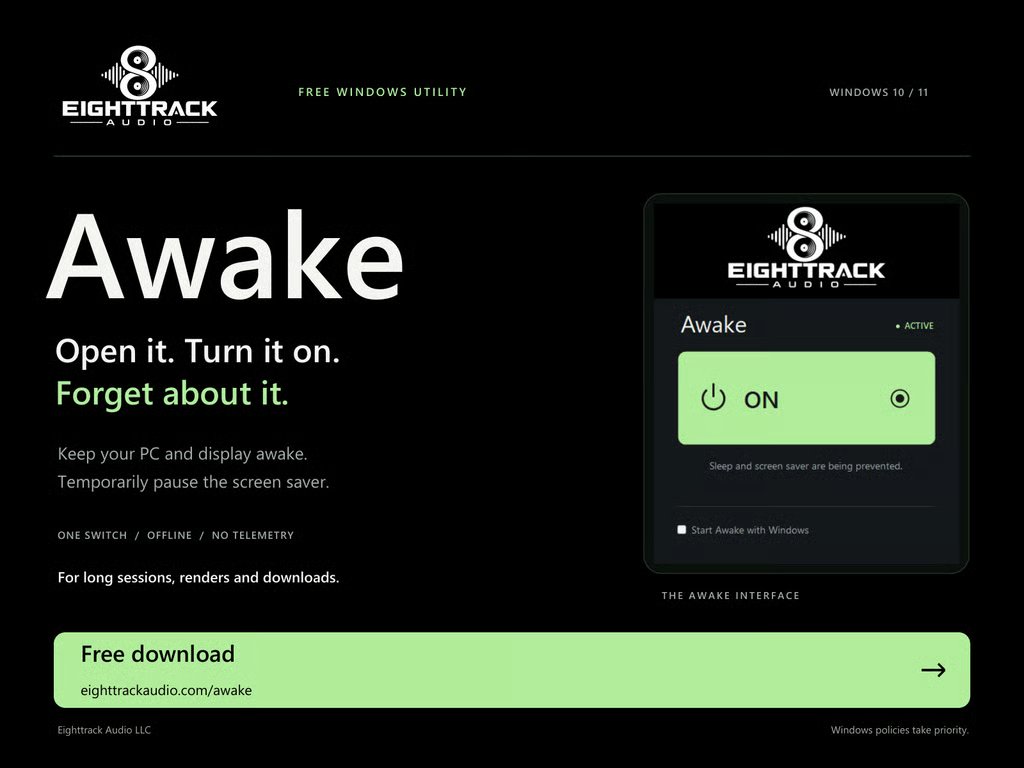
You’re in the middle of a recording session, waiting for a render, or following a long download—and you want your PC to stay ready. Awake is a small, completely free Windows utility that keeps your computer and display awake while you need them. Open it, turn it on, and get back to what you were doing.
A simple tool for longer sessions
Awake temporarily prevents sleep and the screen saver while it is enabled. Its one-switch interface keeps the job straightforward: turn it on when you need your PC and display to remain awake, then turn it off when you’re finished. Windows policies still take priority.
Who is Awake good for?
Musicians and audio creators. Keep your screen available during rehearsals, recording sessions, playback, and other moments when you may not be touching the keyboard or mouse. It is useful beside an instrument, microphone, or audio interface.
Editors and content creators. Keep your PC ready during long renders, exports, and other work that takes time. Awake handles keeping the system awake; it does not speed up the job itself.
People downloading or transferring files. Use it when you want your computer to stay awake during a long download or file transfer without repeatedly moving the mouse.
Presenters, teachers, and anyone following on-screen information. Keep notes, reference material, a presentation, or instructions visible while your attention is elsewhere.
How to use it
1. Open Awake on your Windows PC.
2. Turn the main switch on when you want to keep the PC and display awake.
3. Turn it off when your session is finished so your normal sleep behavior can resume.
Awake also offers a Start Awake with Windows option for people who want the utility available when they sign in. The app works offline and does not use telemetry.
Completely free. No demo or trial.
Awake is free software for Windows 10 and 11. There is no paid version to unlock and no purchase required. It is one of Eighttrack Audio’s practical tools for making everyday work a little easier.
Join the mailing list and get Awake free
Use the form below to join the Eighttrack Audio mailing list and receive the Awake welcome email. It includes your free download link, along with a quick introduction to Eighttrack Audio. We make Windows tools for recording, editing, mixing, podcasting, sampling, and everyday audio tasks.
You’ll also receive product news, useful updates, and occasional offers. You can unsubscribe at any time using the link in our emails. Thanks for being part of Eighttrack Audio.